HDMI Splitter.

Jul 18, 2022
160
353
4,970
My desktop PC is one side of the room, and my larger TV is on the other side. I've tried to utilise casting as a way to run games from my desktop to the TV, but the input delay has been quite bad.

In the meantime, I've begun using a HDMI splitter and albeit it's great for the graphics and lack of input lag now. The only thing I can't workout, is how to have the sound pushed out of the TV without using headphones connected to the PC.

Id be grateful if anyone can offer any advice?
 
Jul 18, 2022
160
353
4,970
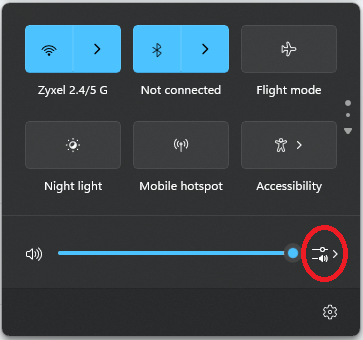
You need to change the sound output to the HDMI. There's a speaker/volume icon next to the clock where you can choose the output device. But you do need to do it on the PC, maybe every time, I'm not sure.
I thought I tried this and it didn't show a device as available, I think I've done it so that the TV mimics the same as the PC monitor. Would the change in settings still work with that?
 
I don't know much about that. I think the TV would need to be switched on and probably the hdmi splitter with the TV selected for it to appear in the list.

pcgf1.png
 
Jul 18, 2022
160
353
4,970
I don't know much about that. I think the TV would need to be switched on and probably the hdmi splitter with the TV selected for it to appear in the list.

pcgf1.png

I did some tweaking and if I switch it to the "NVIDIA High Definition" it now actually works out of the TV.

I am utterly grateful for this, thank you Alm!

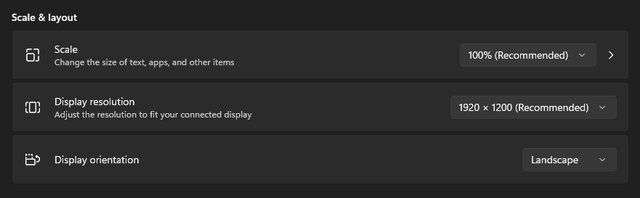
The only thing I need to fix now, is the TV seems to cut an inch of the screen off around the edge, but it looks fine on the desktop. I guess it's now to the Display settings for an experiment.
 

TRENDING THREADS

Latest posts