Random Hardware topics

Page 51 - Love gaming? Join the PC Gamer community to share that passion with gamers all around the world!
$7032.35! My goodness, I wish i had that kind of money to spend on a PC.

well, lets see
  1. Monitor was old, its just part of my set up. Same applies to the mouse.
  2. Ram was only $274 when I bought it, not the silly 1155 it shows as now.
  3. Costs of all the Storage has increased since May when I originally made PC.
  • 2tb was $289 in may, its now 489
  • 4tb nvme was $529, now $762
  • 4tb ssd was $400, now $649

GPU added in December, had a 7900xt in it from previous PC until then.

It didn't cost me all of that up front. It was closer to 4k when I originally made it in May last year.

If anything the value of my current PC will increase as the monitor being replaced soon (I hope) so its cost goes from $518. to approx $2400. I can't add to build yet as currently no one seems to have it. Worldwide.

I wouldn't be able to afford to make it now. I was going to leave making this PC until this year, but I had the cash last year so I figured why not. So glad I did that now.
 
Last edited:
PCPartPicker Part List

CPU: AMD Ryzen 7 9800X3D 4.7 GHz 8-Core Processor ($429.95 @ Amazon)
CPU Cooler: Deepcool ASSASSIN IV 79.1 CFM CPU Cooler
Motherboard: Gigabyte X870 AORUS ELITE WIFI7 ICE ATX AM5 Motherboard ($239.99 @ Amazon)
Memory: G.Skill Trident Z5 Royal Neo RGB 32 GB (2 x 16 GB) DDR5-6000 CL28 Memory ($599.99 @ Amazon)
Storage: Samsung 990 Pro 2 TB M.2-2280 PCIe 4.0 X4 NVME Solid State Drive ($389.25 @ Amazon)
Storage: Samsung 870 Evo 4 TB 2.5" Solid State Drive ($719.00 @ Amazon)
Storage: Samsung 990 Pro 4 TB M.2-2280 PCIe 4.0 X4 NVME Solid State Drive ($714.69 @ Amazon)
Video Card: XFX Mercury OC Magnetic Air RGB Radeon RX 9070 XT 16 GB Video Card ($839.99 @ Amazon)
Case: Antec FLUX PRO ATX Full Tower Case ($164.99 @ Newegg)
Power Supply: NZXT C1000 (2024) 1000 W 80+ Gold Certified Fully Modular ATX Power Supply ($149.99 @ Best Buy)
Operating System: Microsoft Windows 11 Home OEM - DVD 64-bit ($119.99 @ Amazon)
Case Fan: be quiet! Silent Wings 4 78.4 CFM 140 mm Fan ($24.50 @ Amazon)
Case Fan: be quiet! Light Wings LX 48.8 CFM 120 mm Fan ($18.02 @ Amazon)
Monitor: LG 32GK650F-B 32.0" 2560 x 1440 144 Hz Monitor
Mouse: SteelSeries Aerox 5 Bluetooth/Wireless/Wired Optical Mouse ($115.19 @ Amazon)
Custom: NuPhy Halo75 V2 Wireless QMK/VIA Mechanical Keyboard (Purchased)
Total: $4592.56
Prices include shipping, taxes, and discounts when available
Generated by PCPartPicker 2026-03-12 17:04 EDT-0400

True, it was

Strange, the LX fans should be the reverse ones, I actually added the link myself. Now its just showing the normal ones again.
 
Last edited:
Start saving then as unless you going to risk BSOD, you need to buy a 64set and they not exactly cheap right now.

The BSOD risk isn't a guarantee, it might work fine but finding two sets that work together is generally only possible if you buy both sets from the same store on the same day, and even then... sticks in sets only tested to work with the other sticks in that set. Adding more can add errors you weren't having before.

I have helped someone in the past who managed to get 4 sets to work together but its harder the more sets you add (his motherboard had 8 slots)
I already bought it. It cost basically $400 for 64 GB of DDR4. Won't be here until next week.
 

There is one thing he did that I could do... but i am not sure a Bridged 8 pin triple cable would fit through the gap in motherboard tray that my current 8 pins go through. It would be a tight fit

xdw6X1L.jpeg

Optical illusion makes it look like one runs from top hole but that cable runs from motherboard to front panel, think its a USB C connector. All 3 PCI cables come from same hole.

He seems to have 3 bridged cables there but my only option is from above as I have two case fans under the GPU, as well as its own fans. Cables less dangerous where they are

Had to run through the Cablemod configurator to make sure they can make them for my PSU. Every one I looked at online was only 2 8 pins.

Bridged cables are all connected using a comb. If anything that might make them easier to route. Only really one way to find out...

Might do it next year, its about only change I can make to PC inside anyway.

Anyway, I posted that as @neogunhero is always talking about his case, and replacing it is a cheap update that could make PC easier to deal with 🙂
 
Last edited:
sequential read/write of my 2 nvme is almost identical now but the random is won by the 4tb easily.

Up until this test the 2tb was always much faster in sequential but now its only about 100mb faster. The 4tb caught up more than the 2tb slowing down. 4tb never been on 7k before.

2tb linked direct to CPU whereas 4tb linked to chip set, if 4tb was on the CPU it would be a different situation, it would win all of the categories.

random the 4tb wins by about 200k in reads and about 120k in writes.

The 4tb ssd isn't in this race.

checking drive speeds happens when I am bored
 
Upgrading my case would be cheap and could help with airflow. However ever since I got my new GPU, I have never seen it go above 55C in the most demanding games I play. It idles around 25-35C depending on ambient temps, haven't gotten into summer with it yet so we'll see how that goes, and most games I play it stays in the 40-50C range. Same goes for the CPU, it rarely hits 60C. The case would be a nice upgrade for the future but not necessary now.

Birthday is around the corner but got hit with some unexpectedly high bills this month. Also my wife had to go to the doctor a couple times this past month, everything is good but it did cost a bit. Still picking up Crimson Desert for myself, PSU will have to wait just a bit more. Priorities and all. Not worried it's gonna suddenly shut down one day, but replacing it sooner than later is ideal.
 
However ever since I got my new GPU, I have never seen it go above 55C in the most demanding games I play. It idles around 25-35C depending on ambient temps, haven't gotten into summer with it yet so we'll see how that goes, and most games I play it stays in the 40-50C range. Same goes for the CPU, it rarely hits 60C.
Sounds like my temps, only difference being GPU can get to about 40c if I watch you tube videos. The GPU fan only comes on over 50c and so far only times I heard it was in benchmarks. The phase change material used in my GPU only really starts to work after 45c and GPU hasn't been above that often since I got it. Been waiting for monitor before I rushed into games.

CPU only hits 60c at boot. Or if I run a health scan on my NVME which isn't very often. Random read/writes heat it up fast. Idles at about 32c on cores, 45c on package if I don't watch any videos for a while

The insulation in my house has changed the temps I get, might raise the minimum temps as I only seen 29c on CPU once since it was put in. And that might have been before they put it in the walls. I have noticed I need to open a door up more to let hot air out.

I haven't gotten into summer with it yet so we'll see how that goes,

I haven't had winter yet so I am the same. Currently 2 weeks away from Autumn, one of our trees already changing colours.
2b1vbGG.jpeg

That likely will reduce temps I see but then heater gets turned back on soon so its questionable how much.

PSU will have to wait just a bit more.
PSU before everything else... its not the sudden shut-downs I fear, its the BANG... followed by finding out if everything else still works.


Hopefully it looks better when its released. I can't use it anyway, but I don't want my games to look realistic. I play games to escape reality, not recreate it.
 
Last edited:
PSU before everything else... its not the sudden shut-downs I fear, its the BANG... followed by finding out if everything else still works.
I'm gonna risk it just a few more weeks 🤣 I absolutely intend to buy that Be Quiet PSU, it will just be a late birthday present. Crimson Desert is taking my priority over that...
Hopefully it looks better when its released. I can't use it anyway, but I don't want my games to look realistic. I play games to escape reality, not recreate it.
I talked a bit about this in the PCG Articles thread, but this absolutely should not be called DLSS. It's more akin to RTX Remix, a silly little toy to play around with, entirely optional. It's fundamentally different to the main principles of what DLSS is meant to be. This does not improve frame rates at all when it requires two RTX 5090s to run.
 
Sounds like my temps, only difference being GPU can get to about 40c if I watch you tube videos. The GPU fan only comes on over 50c and so far only times I heard it was in benchmarks. The phase change material used in my GPU only really starts to work after 45c and GPU hasn't been above that often since I got it. Been waiting for monitor before I rushed into games.

CPU only hits 60c at boot. Or if I run a health scan on my NVME which isn't very often. Random read/writes heat it up fast. Idles at about 32c on cores, 45c on package if I don't watch any videos for a while

The insulation in my house has changed the temps I get, might raise the minimum temps as I only seen 29c on CPU once since it was put in. And that might have been before they put it in the walls. I have noticed I need to open a door up more to let hot air out.


I haven't had winter yet so I am the same. Currently 2 weeks away from Autumn, one of our trees already changing colours.
2b1vbGG.jpeg

That likely will reduce temps I see but then heater gets turned back on soon so its questionable how much.


PSU before everything else... its not the sudden shut-downs I fear, its the BANG... followed by finding out if everything else still works.


Hopefully it looks better when its released. I can't use it anyway, but I don't want my games to look realistic. I play games to escape reality, not recreate it.
My new rule is to never watch a video with the word "slop" in the title, but if this works like everything else AI image related, then it should have something called "denoising strength" which determines how much the AI can change the original image. For just cleaning up an image without changing the art style, you would use 0.1 to 0.3. I use this a lot, and I would guess that for the examples they probably used 0.6 or higher, possibly thinking it would be impressive to turn them realistic looking.

Of course, I don't know how this works, but everything from still images to movies have this setting from what I've seen, so it wouldn't surprise me if this had it, as well.
 
its my case with noctua fans. I don't know if that would actually be any quieter than my current build as its unlikely anyone will test it with my fans in it. Bequiet fans aren't that far behind Noctua, and are way cheaper.

At least it's much better than the rainbow RGB aesthetic you find in grocery store prebuilts.
Rainbow is the default colour scheme on most RGB fans and ram, its therefore likely what they appear as in shop, but I suspect most of the PC can be swapped to something else once a buyer gets it home... if the buyer is smart enough to look for the software. Same goes for GPU with rgb on them, mine was rainbow when I got it.

can depend, some fans only have rainbow and no software, but thats most likely on cheaper cases. Fans may also may not be PWM on cheaper cases. Things to watch out for.

My Ram is rainbow at start-up, then it swaps to blue once windows starts and loads GCC, But a PC without windows loaded on it in store will just have whats set in bios... i don't know if its in BIOS on other boards but there aren't any options in Gigabyte BIOS so I expect rgb at startup depends if the hardware has any onboard memory to remember settings like that. My GPU must as it starts as blue now.
heFSrJy.jpeg

One thing I don't like about Black cases is they all have dark tinted glass, makes it hard to see inside... wonder if that is why he reviewed it without the side glass.
 
Last edited:
umm?

Smart that the case got mesh on the bottom, don't often see that in other mesh cases.
Do you mean the part under the glass?

Both sides of the case have mesh in the sides there as it helps feed the bottom fans. Just means I have to leave clearance away from walls on both sides... although fans on front feed them as well. Also helps feed air to PSU since its mounted sideways

White mesh lets more light through than the brown probably does. It forces you to buy a white PSU at the very least or you see it more than I do mine.

Other cases have the same now, Lian li cases have it and I seen it on others. Not sure if mine is what they copied or just thought up at same time.

Or

I may have overlooked the fact case bottom is all vented.. there is a HDD cage I removed that goes in the PSU shroud area that would block air flow to fans if there wasn't mesh on side and venting under the case floor

There is no way its a negative pressure case. Too many holes. Also means you have to pick carefully with the bottom fans as the mesh doesn't block a lot of noise.
 
Last edited:
Mesh makes it look better, I don't take it off enough to remember PSU screws into case on side, but I guess that sense as no screw holes on sides of PSU
I thought the bracket I could see was the PSU, but its the case itself.

73U7CSe.jpeg

The gap for air isn't a large as it looks with mesh on. If case didn't have that display on the front side, mesh area could have been bigger. It runs entire length of back panel.

Glass holds mesh side on, I have to remember that when I move case around. Normally take glass out to avoid breaking it.

realises he should put speaker controller more towards front of case or if PSU ever turns its fan on, the controller just get dusty faster. PSU rarely needs its fan though. It only turns it on if PSU is hot or over 50% draw and entire system only uses 586 watts so that isn't very often.

The Antec Noctua edition costs $400 whereas my version cost $165. If you bought fans and case it costs $451 so it is cheaper in that way but replacing the Antec fans with Bequiet only cost $115. The cooling ability could be higher on Noctua but I am not sure its worth cost.

Noctua 120mm better suited to radiators and Air coolers compared to Bequiet. my 140mm fans are quieter at high rpm. Noctua do have higher air flow.

When Steve tested the Noctua fans against the default Antec fans they measured the same in the case. There is a small temp difference but it isn't worth the price difference.

There are better cooling cases now but its a 2 year old case design now, other makers have caught up.
 
Last edited:
That looks like the sticks I found last week, just a different article

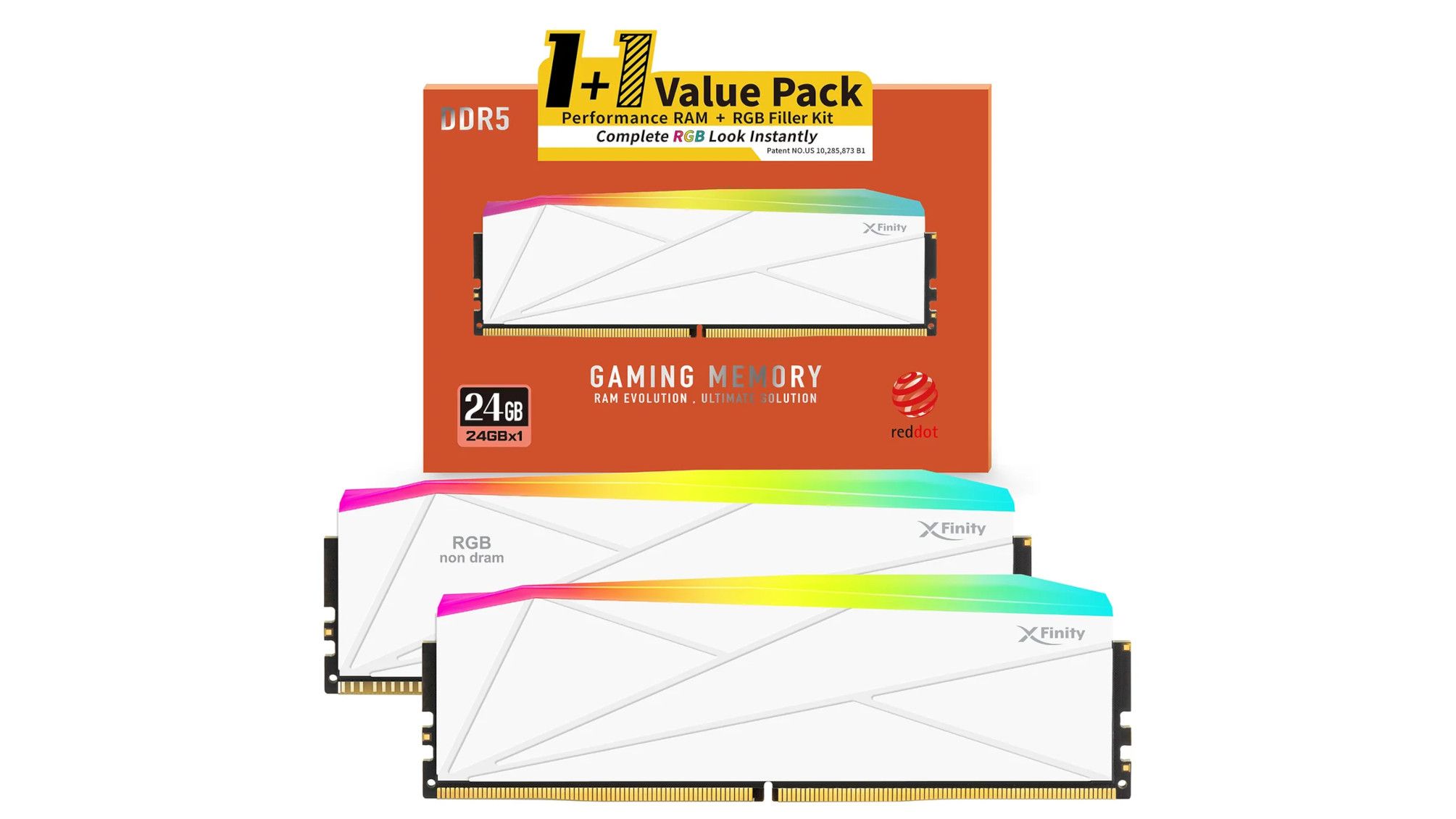
I can see people buying two of those sets just to fill all 4 slots and at least have two channel ram. Its a clever way to over price your ram lol

Now if only using mismatched sticks didn't cause BSOD... small risk I guess for it to look good. And four do
i3eBPyU.jpeg

I should really remove the rear fan section on both coolers and swap them like I have the other white section, to make them both Black/White. The rear section includes the rear fan on cooler, and is reason why both cases don't have exhaust fans.

The 2070 Super looks too small these days
 
Going to do a deep cleaning of my PC and set up today. Been a while since I've done that, right before a major game launch seems like a good time.

I picked up an electronic blower from Amazon for $15 and it works perfectly. No need to keep buying canned air. Going to wash my keycaps too, haven't deep cleaned my keyboard in a good 2-3 years.

Thinking about this today made me remember my jerry-rigged GPU stand. The stand that came with the GPU was too short. I don't have a modern case with the PSU shroud. There's about 5-6 inches from the bottom of the GPU to the bottom of the case. I have the included stand propped up on a bottle of zinc pills, with some electrical tape keeping it in place. It's worked great for the past 5 months!
 
Going to do a deep cleaning of my PC and set up today. Been a while since I've done that, right before a major game launch seems like a good time.

I picked up an electronic blower from Amazon for $15 and it works perfectly. No need to keep buying canned air. Going to wash my keycaps too, haven't deep cleaned my keyboard in a good 2-3 years.

Thinking about this today made me remember my jerry-rigged GPU stand. The stand that came with the GPU was too short. I don't have a modern case with the PSU shroud. There's about 5-6 inches from the bottom of the GPU to the bottom of the case. I have the included stand propped up on a bottle of zinc pills, with some electrical tape keeping it in place. It's worked great for the past 5 months!

I love the attachments on my electric blower. Something fell into my "J" key on the keyboard and it was struggling to work. Even though my blower sounds like I'm standing next to a 747 that is adding thrust for takeoff, just blowing around the key didn't work, so I added the brush attachment that shoots the air out of the brush, and it immediately got whatever it was out and got the key working properly again.
 
My keyboard not that easy to clean, need to remove keys sometimes although the air duster does clean up a lot of dust from inside.
I use duster on my mouse more since its mesh

Photos of PC show I have dust on one of the fans under GPU. I suspect my front fans are dusty too. Harder to tell on white fans.

Cleaning the fans inside CPU cooler are going to be something I only do once a year or so as I need to remove cooler itself to get the middle fan out. I can obviously blow air through them but both the middle and rear fans hard to get to.

GPU fans haven't worked very much since i got GPU. They would be dead easy to clean since I can remove them.
PSU fan unlikely to be dirty

I do need to clean my glass but I wiped it down recently, its not that bad. Clear glass is generally easier to see through than dark tinted, I don't notice smudges as much.

white case hides dust well.
 
I love the attachments on my electric blower. Something fell into my "J" key on the keyboard and it was struggling to work. Even though my blower sounds like I'm standing next to a 747 that is adding thrust for takeoff, just blowing around the key didn't work, so I added the brush attachment that shoots the air out of the brush, and it immediately got whatever it was out and got the key working properly again.
No kidding about the noise. I have to get my dogs attentions before I start it up as not to startle them. I think I've lost my brush attachment...

Cleaning the fans inside CPU cooler are going to be something I only do once a year or so as I need to remove cooler itself to get the middle fan out. I can obviously blow air through them but both the middle and rear fans hard to get to.
I should do that, but not going to today. There is such minimal clearance in my case, it was the biggest pain in the neck installing my CPU cooler last year. It has two fans, the right side fan is resting on top of one of the RAM sticks, only slightly. I had to get an Arctic Slim fan for the top exhaust as a normal sized fan was too thick. I'll just blow it really good... not like that
 

TRENDING THREADS

Latest posts

Back
Top