Intel Processor Thermal Throttling Issue

Jan 24, 2026
5
0
10
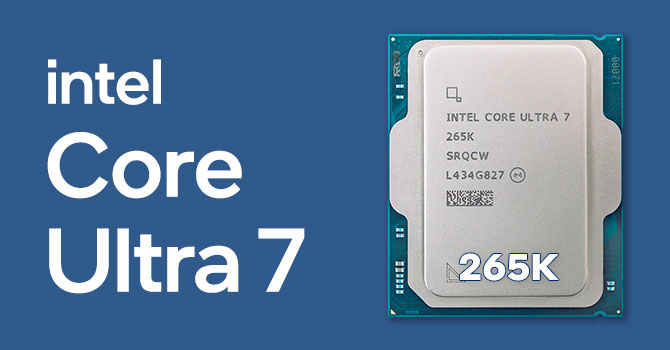
Hello Guys! Being new to the forum, this is my first post and a shout out for help. I have just assembled my new desktop and the configuration goes like this Intel Core Ultra 7 265K with 2GB Built in GPU/ Gigabyte Z890 WiFi 7 Motherboard/G-Skill 16GB 6000 Mega Hertz RAM/ Corsair Airflow Fan. Since the time of it's purchase I've been experiencing some serious issue of Thermal Throttling and over heating of the processor, the temperature goes over 100 degrees centigrade.

This happens only when I try to convert or shrink big videos with the file size ranging from 20 to 90 GB. After a few minutes of start of the process the UPS's power button turns red and starts beeping, the cabinet becomes feverishly hot & starts dissipating extra hot air through the vents and eventually shuts down. I tried the power settings by bringing down the strength of the processor to 90% and it works(the temperature keeps fluctuating 50 and 85 degrees centigrade and the PC does not shut down) but then the time consumption goes very high (takes about 14to 16 hours to complete the process).

I've tried different soft wares like, DVDFab, Handbrake, Win Uniconverter, Unifab and so on but unfortunately the result remains the same. My request and query to all the learned people of this forum, is this normal with AI based processors or is there something wrong and a workaround is possible?
 
This sounds very much like overheating. Its not normal for a CPU in a desktop with a properly installed cooler to go over 100C and shutdown.

What heatsink are you using for the CPU? Have you tried reinstalling the cooler with new thermal paste?
 
Jan 24, 2026
5
0
10
@Kaamos_Llama The heatsink is the same that came with the processor. No I haven't tried reinstalling the cooler but if you insist I'll have to call my engineer who had initially installed it to do it again. Also, the problem occurs only while conversion and shrinking of the video files otherwise everything else runs flawlessly. Thanks for your reply.
 
Last edited:
That processor doesn't come with a cooler so perhaps whatever they used isn't good enough. Suggestions are a 360 AIO or a high quality Air Cooler.

Cooling Requirement: Due to its 20-core architecture and high power consumption (5.5 GHz boost), a powerful third-party cooler is necessary.
 
Jan 24, 2026
5
0
10
That processor doesn't come with a cooler so perhaps whatever they used isn't good enough. Suggestions are a 360 AIO or a high quality Air Cooler.

Cooling Requirement: Due to its 20-core architecture and high power consumption (5.5 GHz boost), a powerful third-party cooler is necessary.
My bad! Forgot to mention the CPU Cooler, its Cooler Master620s with dual fans. Don't you think it is enough?
 
@Kaamos_Llama The heatsink is the same that came with the processor. No I haven't tried reinstalling the cooler but if you insist I'll have to call my engineer who had initially installed it to do it again. Also, the problem occurs only while conversion and shrinking of the video files otherwise everything else runs flawlessly. Thanks for your reply.

Can you please list the full specifications of the system?

- What exact make and model of power supply?
- What case and how many fans are installed
- What Graphics card are you using?
- I'm also curious: What is the ambient temperature in your computer room?

Youre saying it only occurs when the computer is having to work hard. That cooler should be able to handle that CPU without it shutting down completely if it was well installed and functioning in an environment with reasonable temperatures.

You mentioned a UPS with a glowing red button and extreme heat? That information is a bit worrying. UPS is outside of my experience, but what youre describing sounds like something potentially dangerous is happening with your set up. This is not normal and you should absolutely get any technician from a company who sold this to you to fix it.
 
Jan 24, 2026
5
0
10
@Kaamos_Llama My system Configuration is as follows:

Processor: Intel Core Ultra 7 265K with a built in 2GB GPU

Motherboard: Gigabyte Z890M Aorus Elite WiFi 7

RAM: 16GB DDR5 G Skill Trident Z5 6000 Mega Hertz

SSD: 1TB Crucial NVME Gen 5 P510 (500 GB being used only for the OS Windows 11 Pro 25H2)

CPU Cooler: Cooler Master 620s with dual fans

SMPS: MSI 850W 80+ Gold SMPS

Cabinet: Monster by Circle with 1 Fan at the rear and 1 in the front

I'm not using any graphics card at present.


The PC was assembled quite carefully and adequate amount of thermal paste was used to avoid such a situation but unfortunately the result was not the same. I would once again like to mention that the Thermal throttling happens only while conversion & shrinking of the HD & 4K videos. I've also been told if the assembly of the PC was incorrect the normal functioning of the PC wouldn't have been possible. So it's a mystery for me now.
My earlier configuration with Intel 9th Generation CPU was also almost the same with the same cabinet and never ever had any heating issues.
 
The component choice seems adequate, although I cant find the case model you have and would have picked a different CPU cooler personally.

Thermal throttling happens only while conversion & shrinking of the HD & 4K videos.
The only time you are stressing the processor is while you are doing this kind of work. When your computer is ripping or converting video files it is using all of its cores and sucking down more power than it does while just browsing the web or on desktop. For example;


On this page you can see the amount of power a CPU uses varies between different use cases. More power being used, directly equates to more heat created that needs to be moved away from the CPU. If that heat does not get moved away from the CPU it will first 'throttle' itself, that is reduce its top speed in order to reduce the amount of power used and reduce the heat created. In a final catastrophic case it will shut down. The fact that your computer is shutting down rather than throttling is a very bad sign. I'm still not sure what your UPS is doing in this situation from the information given.


I've also been told if the assembly of the PC was incorrect the normal functioning of the PC wouldn't have been possible.
This is incorrect. While browsing the web your processor does not have to work hard, when you convert video and so on it is using much more power and shutting down because the processor is not handling the heat somewhere along the line.

That can potentially be because the heatsink is not installed properly, because you are living in the desert without a/c and ambient temperatures are 45 degrees, or maybe because you installed the system in a small cupboard so that it is recycling its own hot exhausted air over and over until it fully cooks itself.
 
@Kaamos_Llama Thanks for the reply. Do you think there can be a workaround to mitigate this kind of anomaly? I'm really perplexed.

Im not directly familiar with the new Intel chips so I can only speak generally. As you already tried limiting the power thats about as far as my knowledge goes. Definitely check the fan curves for the CPU and case fans and increase their speed. But shutting down is a huge red flag that needs to be addressed as I mentioned before.

If it were my system I would probably try updating to the latest system BIOS as well. In your case I would be asking the person who built and installed my system to fix this behaviour, because it is not functioning normally whatever they say.
 
  • Like
Reactions: Frindis

TRENDING THREADS

Latest posts